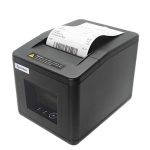
Efficient transaction processing is essential for businesses that serve customers, manage payments, and maintain daily sales records. In retail stores, restaurants, supermarkets, and commercial service centers, employees need reliable equipment to complete transactions without unnecessary delays. Receipt printing is an important part of this process because it provides customers with purchase details while helping businesses maintain organized transaction records.
A modern Receipt Printer can contribute to smoother operations by producing transaction documents quickly, integrating with point-of-sale systems, and reducing manual work. Beyond printing payment records, these devices support order management, inventory processes, financial documentation, and customer service. Understanding their operational benefits helps businesses make better decisions about their checkout and transaction management systems.
1. Faster Transaction Processing
One of the most direct ways receipt printers improve efficiency is by reducing the time required to complete customer transactions. Modern thermal models can produce receipts within seconds, allowing employees to finalize purchases and serve the next customer more quickly.
This is particularly valuable during busy periods when checkout queues can affect customer satisfaction. Supermarkets, convenience stores, and high-traffic retail outlets often process many transactions within a short period.
Fast printing helps employees avoid delays associated with handwritten receipts or slower document preparation methods. When combined with an efficient POS system, it creates a more streamlined checkout process.
2. Improved Point-of-Sale Operations
Receipt printers work alongside POS terminals to turn transaction data into printed records. When a customer completes a purchase, the POS system sends the relevant information to the printer, which produces a receipt containing details such as purchased items, prices, taxes, discounts, and payment methods.
This integration helps reduce manual entry and makes transaction processing more consistent.
Benefits of POS Integration
- Automatically prints transaction details from the POS system.
- Reduces the need for employees to prepare receipts manually.
- Supports consistent receipt formatting.
- Helps maintain records of completed purchases.
- Makes it easier to organize checkout activities.
By connecting compatible printers with POS software, businesses can create a more coordinated transaction workflow.
3. Reduced Manual Work and Human Errors
Manual receipt preparation can take additional time and introduce errors. Employees may accidentally enter incorrect prices, omit transaction details, or calculate totals incorrectly when preparing records without automated systems.
Integrated receipt printing reduces these risks because transaction information is generated by the POS software and transferred directly to the printer.
For example, when a cashier scans products and completes payment, the system can automatically generate a receipt showing the correct item descriptions and totals. This reduces repetitive administrative tasks and allows employees to focus on customer service.
Although automated printing does not eliminate every possible transaction error, it helps improve consistency when the POS system is configured correctly.
4. Better Customer Service and Checkout Experience
Customers generally expect quick and accurate transactions. Long checkout times, unclear purchase records, and repeated payment processing can create frustration.
Reliable receipt printing helps employees complete purchases efficiently and provide customers with clear documentation. A well-formatted receipt can include product details, payment information, business contact details, and return instructions.
Receipt printers also support different service arrangements. In restaurants, employees can print bills at cashier stations or use compatible mobile printers for tableside payments. In retail stores, printed receipts help customers review purchases before leaving the premises.
These small improvements contribute to a more organized and convenient customer experience.
5. More Organized Sales Records
Receipts provide a written record of completed transactions. They can help businesses track sales, review customer purchases, and investigate payment-related questions.
When receipt printing is integrated with POS software, transaction information can also be stored digitally. This allows businesses to maintain electronic records while providing customers with printed copies when needed.
Organized sales documentation can support several activities:
- Reviewing daily sales performance
- Checking individual transaction details
- Processing returns and exchanges
- Resolving payment disputes
- Comparing sales across different periods
Printed receipts and digital transaction records serve complementary purposes. Together, they can improve the availability and organization of business information.
6. Improved Inventory Management
Receipt printers can indirectly support inventory management by working with POS systems that record product sales. When an item is sold, the POS software can update the corresponding inventory information according to its configuration.
This connection helps businesses monitor stock movement and identify products that sell frequently.
For example, a retail store can use sales records to review which products generate the most transactions. Managers can compare this information with stock levels to plan replenishment and reduce the risk of unexpected shortages.
The printer itself does not manage inventory, but it forms part of a transaction system that can help connect sales activities with stock management processes.
7. Efficient Restaurant and Hospitality Operations
Restaurants, cafés, hotels, and other hospitality businesses often manage several types of transactions throughout the day. Receipt printers help coordinate these activities by producing customer bills, payment receipts, and order documents.
Customer Billing
Thermal printers can generate clear bills that show ordered items, service charges, taxes, and payment details.
Kitchen Order Processing
Compatible kitchen printers can receive order information from POS terminals. Impact printers may be suitable for some kitchen environments where multipart documents or specialized paper formats are required.
Mobile Payments
Portable receipt printers can allow employees to process payments and issue receipts at tables, outdoor service areas, or other locations away from a fixed cashier station.
These applications help hospitality businesses organize communication between customer-facing employees, kitchen staff, and payment stations.
8. Support for Multiple Payment Environments
Commercial businesses use different payment methods, including cash, credit cards, debit cards, and supported digital payment services. Receipt printers can work with compatible POS systems to document these transactions.
Depending on the software configuration, printed receipts may display the payment method, transaction reference, total amount, and other relevant information.
This helps employees provide consistent documentation regardless of how customers pay. It can also make it easier for customers to review purchases and for staff to handle payment-related inquiries.
Businesses should ensure that their POS software and payment terminals are properly integrated so that the information sent to the printer is accurate.
9. Flexible Printing Through Different Connectivity Options
Modern receipt printers support several connectivity methods, allowing businesses to organize their printing equipment according to operational needs.
USB Connectivity
USB connections are suitable for direct communication between a printer and a POS terminal or computer. They are commonly used in small retail stores and individual checkout stations.
Ethernet Connectivity
Network-connected printers can receive print jobs from compatible devices across a local network. This can be useful in businesses with multiple checkout terminals or departments.
Bluetooth Connectivity
Bluetooth supports wireless printing from compatible tablets, smartphones, and mobile POS devices. It is particularly useful for delivery services and mobile sales operations.
Wi-Fi Connectivity
Wi-Fi can provide flexible wireless communication within a supported network. Restaurants and retail businesses may use it to position printers in locations that are convenient for employees.
Choosing the right connection helps reduce unnecessary cable arrangements and supports more efficient printing workflows.
10. Reduced Administrative Costs
Automated receipt printing can reduce the time employees spend preparing transaction documents. This may lower the administrative effort required for routine sales activities.
Thermal printers can also reduce certain consumable requirements because they do not need traditional ink cartridges or ribbons. Businesses primarily purchase compatible thermal paper rolls, although paper expenses and replacement components still contribute to operating costs.
The overall savings depend on transaction volume, printer selection, maintenance practices, and the efficiency of the connected POS system.
Businesses should evaluate total operating costs rather than assuming that every modern printer automatically reduces expenses.
11. Support for Returns, Exchanges, and Customer Inquiries
Printed receipts help customers and employees verify transaction details when handling returns, exchanges, and purchase-related questions.
A receipt may include:
- Transaction date and time
- Purchased product descriptions
- Item quantities and prices
- Discounts and taxes
- Payment information
- Transaction or reference number
These details help staff locate the relevant purchase and review the applicable store policy. When receipts are also stored digitally, employees may be able to retrieve transaction records through the POS system even if a customer has misplaced the paper copy.
Clear documentation can make after-sales service more organized and reduce the time needed to investigate individual purchases.
12. Greater Flexibility for Different Business Sizes
Receipt printing solutions are available in different sizes, configurations, and performance levels. This allows businesses to choose equipment based on their transaction volume and operating environment.
Small shops may use compact USB thermal printers for basic checkout activities. Larger retailers may require network-connected models that support multiple terminals. Delivery companies and field service providers may benefit from portable printers with rechargeable batteries and wireless connectivity.
This flexibility allows businesses to select equipment that fits their current operations without adopting unnecessarily complex systems.
13. Consistent Business Documentation
A standardized receipt format helps businesses present transaction information consistently. Instead of relying on different employees to prepare records manually, POS software can generate receipts using predefined templates.
Businesses can include relevant information such as their name, address, contact details, tax information, transaction summaries, and return policies.
Consistent formatting makes receipts easier to understand and can support internal documentation procedures. It also helps establish a more organized presentation across different checkout locations.
14. Considerations for Maximizing Efficiency
Although receipt printers can improve transaction workflows, their benefits depend on proper selection, configuration, and maintenance.
Businesses should consider the following practices:
Choose suitable printing technology: Thermal printers are commonly appropriate for standard sales receipts, while impact models may be useful for multipart documents.
Match printer speed to transaction volume: High-traffic businesses should evaluate printing performance under realistic operating conditions.
Check POS compatibility: Confirm that the printer supports the required software, operating system, and connection interfaces.
Use compatible paper: Following the manufacturer’s paper specifications helps maintain print quality and reduce feeding problems.
Perform regular maintenance: Cleaning the print head, removing paper debris, and checking the cutter can help prevent interruptions.
Train employees: Staff should understand basic paper replacement, error indicators, and troubleshooting procedures.
These measures help ensure that the equipment contributes positively to daily business operations.
Conclusion
Receipt printers improve retail and commercial efficiency by supporting faster transactions, reducing manual work, and producing consistent purchase documentation. When integrated with POS systems, they can also contribute to better sales tracking, inventory processes, payment records, and customer service.
Their value extends across different industries, from small retail stores and restaurants to supermarkets and mobile service businesses. By choosing suitable printing technology, connectivity, and performance specifications, businesses can build a more organized transaction environment and support smoother daily operations.